Does Your Frame Rate Actually Matter? The Truth About FPS and Competitive Gaming
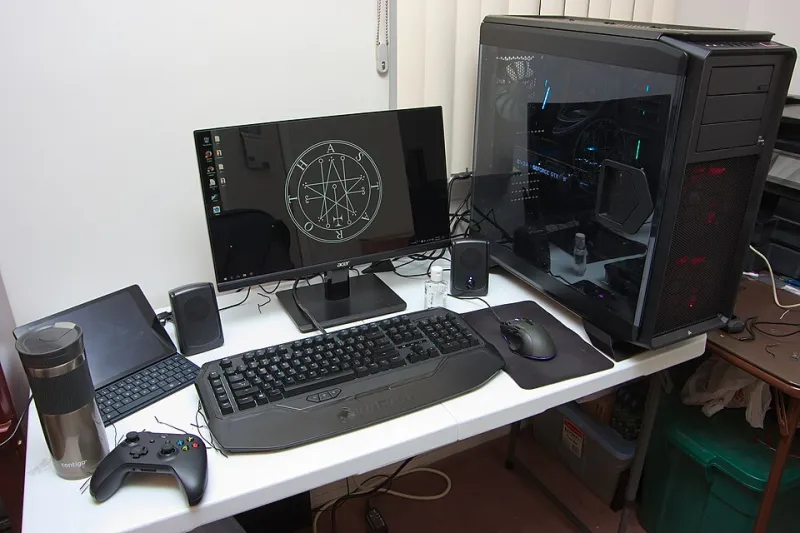
Photo: Brian Wong, CC BY-SA 2.0, via Wikimedia Commons
Somewhere along the way, the gaming community collectively decided that 60 FPS was for casuals and anything less than 144Hz was basically playing with a blindfold on. Monitor manufacturers loved that narrative. The truth, as usual, is messier — and a lot more interesting.
Frame rate genuinely matters in competitive gaming. But how much it matters, and which number you actually need, depends almost entirely on what you're playing. We're breaking it down by genre, backing it with real data, and giving you honest hardware recommendations at different price points. No fluff, no upselling — just straight answers.
The Basics: What Frame Rate Is Actually Doing
Frame rate — measured in frames per second (FPS) — is how many individual images your system renders and pushes to your display every second. Higher frame rates mean more visual information per second, which translates to smoother motion and, critically, lower input lag.
That last part is what matters most competitively. Your monitor's refresh rate (measured in Hz) determines how many of those frames it can actually display. A 60Hz monitor can only show 60 frames per second, even if your GPU is cranking out 300. A 240Hz monitor can display up to 240 distinct frames per second, giving you finer motion resolution and faster visual feedback.
Here's the key relationship to remember: higher frame rates reduce the time between your input and the visual response you see on screen. At 60 FPS, a frame takes about 16.7 milliseconds to render. At 240 FPS, that drops to roughly 4.2ms. In games where milliseconds determine whether you win a duel or get eliminated, that gap is real.
But not every game is a millisecond-level duel. That's where genre matters enormously.
First-Person Shooters: This Is Where Frame Rate Earns Its Hype
If you play Valorant, CS2, Call of Duty, or Apex Legends competitively, frame rate is the single biggest hardware variable affecting your performance. Full stop.
The reason is tracking. In fast-paced shooters, you're constantly following moving targets and making micro-adjustments with your mouse. Higher frame rates provide more granular visual updates, which means your crosshair placement relative to an enemy's hitbox is more accurate at the moment you click. Studies from hardware testing sites like Blur Busters have consistently shown that players demonstrate measurably better aim at 144Hz compared to 60Hz, and a further — though smaller — improvement moving from 144Hz to 240Hz.
Pro players in games like CS2 and Valorant almost universally run 240Hz or 360Hz setups. Shroud, one of the most mechanically gifted FPS players ever to stream, has been vocal about preferring the highest refresh rate he can get. That's not a sponsorship talking point — that's a guy who's spent thousands of hours learning to feel the difference.
Bottom line for shooter players:
- Budget ($150-$250 monitor range): 144Hz is the floor. Get there first.
- Mid-range ($250-$400): 240Hz opens up noticeable improvements in fast-paced duels.
- High-end ($400+): 360Hz is diminishing returns for most players, but the ceiling for elite competitive play.
MOBAs: The Case for "Good Enough"
Here's where things get more nuanced. League of Legends, Dota 2, and Smite are top-down or isometric games where the primary skill expression is decision-making, map awareness, and ability timing — not raw mechanical aim.
That doesn't mean frame rate is irrelevant. Smoother animations make it easier to read enemy movements, and lower input lag still helps with precise skill shots. But the performance cliff between 60Hz and 144Hz is far less dramatic than in shooters, and the jump from 144Hz to 240Hz is barely perceptible for the vast majority of MOBA players.
Professional League of Legends players at the LCS level do run 144Hz or higher setups, but that's partly because high-end hardware is standard issue at that level, not necessarily because 240Hz is giving them a measurable edge over 144Hz.
Bottom line for MOBA players:
- 60 FPS/Hz: Functional but noticeably choppy during teamfights. Upgrade when you can.
- 144Hz: The sweet spot. You'll feel the difference from 60Hz, and you won't feel like you're leaving anything on the table.
- 240Hz+: Nice to have, not necessary. Spend that budget elsewhere.
Fighting Games: It's Complicated
Fighting game players have a unique relationship with frame rate because the genre itself is built around frame data. In Street Fighter 6, Tekken 8, or Mortal Kombat 1, knowing that a move is "plus 4 on block" is fundamental strategy. The games run at a locked 60 FPS by design — that's the foundation the frame data system is built on.
So does a 144Hz or 240Hz monitor help? Indirectly, yes. Even if the game renders at 60 FPS, a higher refresh rate monitor can reduce display latency, making inputs feel snappier. But the gains are subtle, and the bigger factor for fighting game players is input lag reduction through display settings (always use "Game Mode" on your TV or monitor) rather than raw refresh rate.
One place where frame rate becomes critical in fighting games: rollback netcode. Modern implementations in games like Street Fighter 6 and Guilty Gear Strive simulate frames to compensate for latency. A stable, high-FPS system handles rollback more gracefully, reducing visual artifacts during online matches.
Bottom line for fighting game players:
- 60Hz with low input lag: Totally viable for competitive play.
- 144Hz: A nice quality-of-life improvement, especially for training mode grind sessions.
- TV players: Prioritize input lag specs over refresh rate. A 4ms input lag 60Hz gaming monitor beats a 50ms input lag 120Hz TV every time.
Battle Royales and Open-World Games: The Middle Ground
Games like Fortnite, PUBG, and Warzone blend the mechanical demands of shooters with larger, more complex environments. Frame rate matters here, but the equation includes more variables — like consistent frame time (how evenly spaced frames are) rather than just raw FPS numbers.
A system that delivers 144 FPS with occasional stutters to 80 FPS is worse for competitive play than one that holds a rock-solid 120 FPS. This is where your GPU and CPU combination matters as much as your monitor. Prioritize consistency over peak frame rate.
Bottom line for battle royale players:
- Target 144Hz and optimize your settings to maintain it stably rather than chasing 240Hz with inconsistent frame delivery.
- Invest in a capable CPU — battle royales are notoriously CPU-heavy, and frame time variance often comes from CPU bottlenecks.
The Honest Upgrade Advice
If you're still on a 60Hz monitor and play any competitive multiplayer game, upgrading to 144Hz is the single best hardware investment you can make right now. The difference is immediately noticeable and genuinely improves performance.
If you're already at 144Hz and play FPS games competitively, moving to 240Hz is a real but smaller upgrade — worthwhile if you're serious about competing.
If you're at 144Hz and primarily play MOBAs, fighting games, or strategy titles, that monitor budget is better spent on a better GPU, more RAM, or a faster SSD for load times.
Frame rate matters. But knowing which frame rate matters for your game is how you spend smart and play harder. That's the FragZone way.