Ears Before Eyes: Why Your Headset Is the Most Underrated Weapon in Your Gaming Arsenal
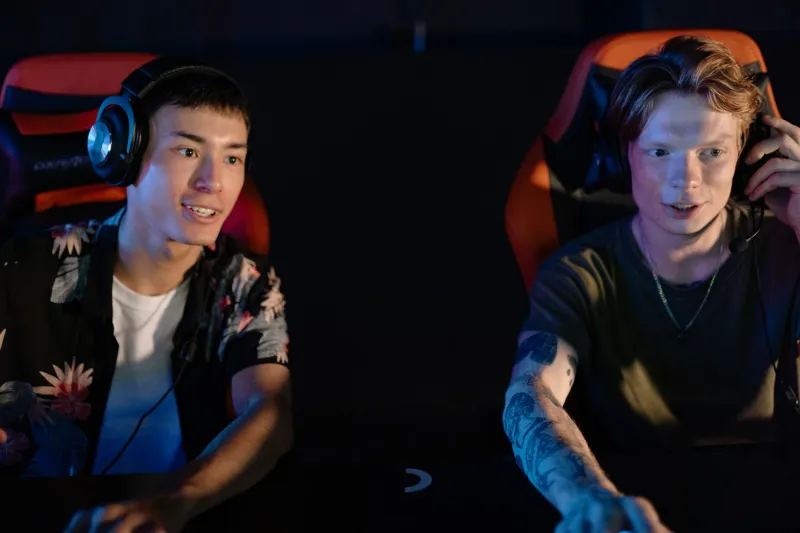
Ask any competitive player what gear they'd upgrade first and you'll get the same answers on repeat — a faster monitor, a lighter mouse, a mechanical keyboard with whatever switch is trending this month. Headsets? They're an afterthought. Something you grab because you need to hear something while you play.
That's a mistake. A pretty costly one, actually.
Audio is arguably the single most information-dense channel in competitive gaming, and most players are receiving that information through hardware that's actively filtering out the stuff that matters. Before you drop another $200 on a higher refresh rate you probably can't perceive, it's worth taking a hard look at what's sitting on your head.
Sound Is Data, Not Decoration
Game developers spend serious resources on audio design, and it's not just to make explosions feel cinematic. In titles like Counter-Strike 2, Valorant, Apex Legends, and Rainbow Six Siege, sound is a full information system. Footsteps tell you someone's position. Reload animations telegraph vulnerability. Ability cues signal what a player is about to do before they do it.
This isn't accidental. It's deliberate design. Audio cues in CS2, for example, are tuned so that a player sprinting across a specific surface — say, the squeaky floor on Mirage's B apartments — creates a distinct, identifiable sound that a prepared opponent can use to pre-aim before the enemy even comes into view. That's not a game mechanic. That's a tactical layer built entirely on audio.
The problem? You can only leverage that layer if your headset can reproduce it accurately.
What Entry-Level Headsets Are Actually Doing to Your Game
Budget headsets — we're talking the $30–$60 range — generally use drivers tuned for consumer audio. That means boosted bass for music and movies, which sounds great for Netflix but actively muddies the frequency ranges where footsteps, ability cues, and environmental audio live. You're not hearing less sound; you're hearing distorted sound, which is arguably worse because your brain is still trying to interpret it.
There's also the stereo versus surround conversation. Most entry-level headsets are standard stereo — left ear, right ear, done. That works fine for casual play, but in a 3D game environment, stereo gives you limited directional resolution. You can tell something is to your left, but you're getting almost no vertical information and imprecise distance cues.
Compare that to a mid-range gaming headset ($80–$150) with quality 50mm drivers and you're already in a different world. Frequency response becomes more balanced, soundstage opens up, and those subtle audio details — the distant gunshot that tells you a fight is happening on the other side of the map — start becoming legible instead of just noise.
Spatial Audio: The Tech That Actually Moves the Needle
Here's where things get genuinely interesting. Spatial audio — whether it's Dolby Atmos for Headphones, Windows Sonic, DTS Headphone:X, or proprietary implementations from manufacturers like SteelSeries or Astro — uses digital signal processing to simulate a 360-degree sound environment through a standard stereo headset.
Done well, it's transformative. Games that support spatial audio natively, like Halo Infinite or Call of Duty: Warzone, will place sounds above you, below you, and at precise angles that standard stereo simply cannot replicate. In Warzone, knowing whether an enemy is on the floor above you or across the hall can be the entire difference between holding an angle correctly and getting caught looking the wrong direction.
The catch is implementation quality varies wildly. Some spatial audio solutions introduce audio latency or create a hollow, artificial sound that's disorienting rather than helpful. The best approach is to test your game's native support before defaulting to a third-party solution, and to spend time in training modes or custom lobbies specifically listening for audio positioning before you trust it in ranked.
How the Pros Actually Use Audio
Pro teams don't just wear high-end headsets because sponsors tell them to. Audio discipline is a genuine competitive skill at the top level, and it shows up in how teams structure their communication.
Callout culture in esports is built on audio. A support player in Valorant who hears a Jett dash through a specific wall segment can relay that information to the team before any visual confirmation exists. In CS2, experienced players will hold their push specifically because they heard a grenade bounce pattern that suggests a utility setup — audio intelligence leading to a positional decision.
There's also the concept of audio discipline — knowing when to create sound and when to go quiet. Walking instead of running, timing ability usage to mask footstep noise, positioning yourself so your audio doesn't telegraph your location to enemies who are listening just as carefully as you are.
This is a skill that casual players almost never develop because they're not playing with hardware capable of delivering the resolution needed to train it.
Picking the Right Headset for Your Setup
You don't need to spend $300 to get into competitive-grade audio. Here's a quick breakdown of what actually matters:
Driver size and quality — 40mm to 50mm drivers are standard. Bigger isn't always better, but quality drivers with a flat or mildly V-shaped frequency response will serve competitive play better than heavily bass-boosted consumer options.
Open-back versus closed-back — Open-back headsets (like the legendary Sennheiser HD 560S, which many pros use in non-LAN settings) provide a more natural soundstage and better audio positioning. The tradeoff is sound leakage, which matters if you're in a shared space or streaming. Closed-back headsets offer better isolation but a slightly narrower soundstage.
Wired versus wireless — Wireless has gotten genuinely good. Brands like SteelSeries, Logitech G, and HyperX are producing wireless headsets with sub-2ms latency that's imperceptible in actual play. If cable management is annoying you, modern wireless is a legitimate option.
Microphone quality — Separate issue from audio, but worth noting: a clear mic means cleaner callouts, which means better team coordination. Don't sleep on it.
The Mindset Shift That Changes Everything
The real upgrade here isn't hardware — it's perspective. Treating sound as a passive background element versus treating it as active intelligence is a fundamental shift in how you approach a match.
Start actively listening. In your next session, spend the first few minutes of warmup just focusing on audio. What does a player running sound like versus walking? How does the audio change when an enemy is one floor above you? What does the ambient sound tell you about where the action is pulling?
Your eyes are already doing a lot of work. Your ears have been sitting on the bench.
Gear up, tune in, and start treating your headset like the competitive tool it actually is. The information has always been there — you just need the right hardware and the right habits to start using it.