Stop Blaming Your Mouse: The Real Reason Your Aim Is Holding You Back
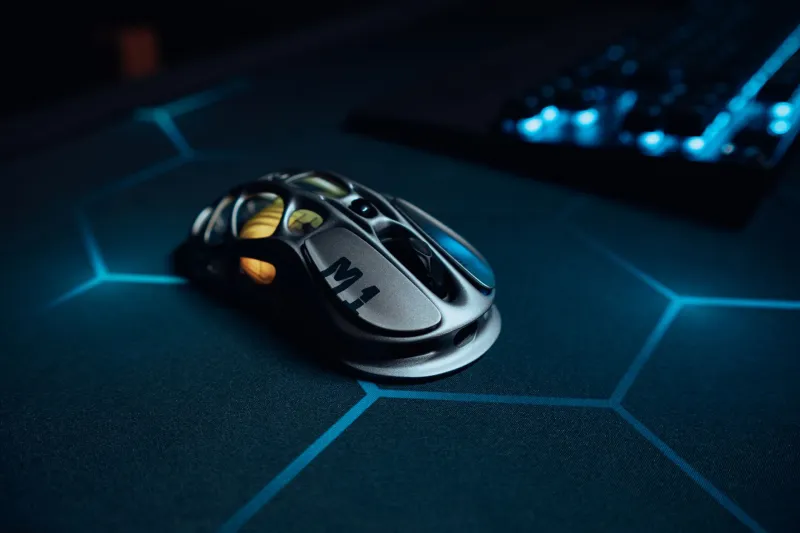
Every few months, the same conversation plays out in gaming subreddits across the country. Someone posts their highlight reel of missed shots, follows it up with a spec list that reads like a Best Buy receipt, and ends with the question: "Should I upgrade my mouse?" The replies pour in recommending $150 sensors and ultralight honeycomb shells. And yet, somehow, the aim never really improves.
Here's the uncomfortable truth: the mouse isn't the problem. The settings are.
Professional players have known this for years. The gap between a $30 office mouse and a $200 esports peripheral is real, but it's also smaller than the gap between dialed-in sensitivity settings and whatever random number you landed on when you first installed your game. Muscle memory doesn't care how much you spent at checkout. It cares about consistency, repetition, and intentional calibration.
What Sensitivity Actually Controls
Let's break down the basics before getting into the weeds. Sensitivity in competitive shooters is governed by two numbers working together: DPI (dots per inch, set at the hardware level through your mouse software) and in-game sensitivity (a multiplier applied on top of that). Most players treat these as interchangeable, cranking one up and leaving the other wherever the game defaulted it.
That's a mistake.
The combination of these two values produces your effective sensitivity, often expressed as eDPI (DPI multiplied by in-game sensitivity). A player running 800 DPI at 0.5 in-game sensitivity has the same eDPI as someone running 400 DPI at 1.0. The mouse moves the same distance on screen — but the feel can differ slightly depending on how the game processes input. Most competitive players standardize on 400 or 800 DPI at the hardware level and adjust in-game from there. It's cleaner, it's consistent, and it's what virtually every esports coaching program recommends.
Why 400 or 800? Because those values fall within the sensor's most accurate polling range on the vast majority of gaming mice, even budget ones. You're not paying for a $180 sensor to run it at 3200 DPI. You're wasting it.
What the Pros Actually Run
Scroll through any pro settings database and a pattern jumps out immediately. The overwhelming majority of top-ranked players in games like Valorant, CS2, and Apex Legends cluster in a relatively tight eDPI range. In Valorant, for example, most pros land between 200 and 400 eDPI. CS2 pros tend to sit slightly lower. These aren't arbitrary numbers — they reflect years of accumulated coaching wisdom about what ranges allow for both precise micro-adjustments and fast, controlled flicks.
Coaches at the collegiate and semi-pro level have started treating DPI standardization the same way strength coaches treat lifting form: get it right first, then build on top of it. The logic is straightforward. If a player switches teams or setups, a standardized sensitivity means their muscle memory travels with them. Inconsistency is the enemy of improvement, and nothing creates inconsistency faster than fiddling with sensitivity every week.
One concept that comes up repeatedly in coaching circles is the idea of a "mousepad full" — the notion that your sensitivity should allow you to execute a full 180-degree turn using most of your mousepad without running out of space. It's a practical sanity check that keeps players from either crawling at snail-speed or flailing across the desk.
The Muscle Memory Argument
Here's where the science gets interesting. Your aim isn't really a conscious skill — it's a motor pattern stored in procedural memory, the same system that handles riding a bike or typing without looking at the keyboard. The more consistent your inputs, the faster and more deeply that pattern gets encoded.
Changing your sensitivity mid-development is like relearning to type every few weeks. You're constantly resetting the clock on your muscle memory, which means you never actually build the automatic, unconscious accuracy that separates good aimers from great ones. Players who stick with a sensitivity for months — even an imperfect one — often outperform players who are perpetually chasing the "perfect" number.
This is also why raw aim trainers like Aimlabs and KovaaK's work best when you use them with your actual in-game settings locked in. Practicing at one sensitivity and playing at another is counterproductive. Your brain is building two different motor programs, and neither one gets the repetitions it needs.
Finding Your Sweet Spot: A Practical Starting Point
You don't need to buy anything to run this experiment. Here's a simple framework to start dialing in your settings today:
Step 1: Set your DPI to 400 or 800. Pick one and stick with it for at least 30 days. Don't toggle between them.
Step 2: Calculate a starting in-game sensitivity. Target an eDPI between 200 and 400 if you play a tactical shooter, or slightly higher (400–800) for faster-paced games like Apex. Divide your target eDPI by your DPI to get your in-game number. If you're running 800 DPI and want 320 eDPI, that's 0.4 in-game sensitivity.
Step 3: Do the 180-degree test. On your actual mousepad, mark roughly the center. From a neutral position, flick your mouse and see if you can land a clean 180-degree turn using about 70-80% of your pad's width. Adjust until that feels natural — not cramped, not frantic.
Step 4: Lock it in and don't touch it for 30 days. Seriously. The urge to tweak will be strong, especially after bad sessions. Resist. Your muscle memory needs time to consolidate.
Step 5: Use aim training software with your exact settings. Spend 15-20 minutes before gaming sessions on targeted scenarios. Track your scores over time. You'll see measurable improvement within a few weeks.
The Gear Reality Check
None of this means hardware is irrelevant. A mouse with a bad sensor, excessive weight, or a shape that forces an awkward grip will absolutely hurt your performance. If your current mouse is causing physical discomfort or has obvious tracking issues, upgrading makes sense.
But here's the honest math: a $40 mouse with optimal settings will beat a $200 mouse with random settings almost every time. The premium gear market is built on the idea that equipment is the limiting factor in your performance. For most players, it simply isn't.
The players who climb ranked ladders consistently aren't the ones with the most expensive setups. They're the ones who treated their settings like a craft, put in the repetitions, and didn't let gear envy distract them from the actual work of getting better.
So before you add anything to your cart, spend a weekend with a spreadsheet and a mousepad. The sensitivity sweet spot you're looking for? It's already somewhere in your settings menu. You just have to find it.